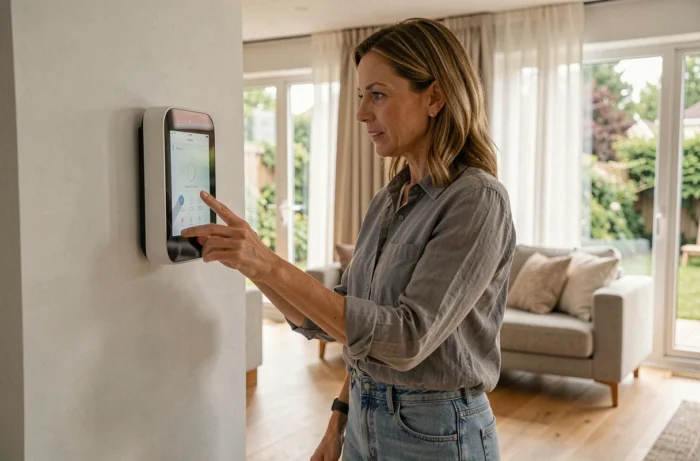
A roller shutter that refuses to communicate with the thermostat, a connected bulb that loses Wi-Fi every time the box restarts: we’ve all encountered this kind of situation while trying to make our home smarter. Transforming your house into a connected and intelligent space doesn’t require extensive wiring or emptying your bank account, but it does require making the right choices from the start.
Communication Protocol: The Real First Choice for a Connected Home
Before even looking at a camera or a thermostat, we need to answer a question that most guides avoid: which radio protocol will connect our devices? Wi-Fi, Zigbee, Z-Wave, Thread, Matter – each has its concrete constraints.
Wi-Fi works without an additional gateway, making it tempting. The problem arises when we exceed a dozen devices: the internet box becomes saturated, and response times increase. Zigbee and Z-Wave create a separate mesh network, where each device relays the signal from its neighbor. The result: the range extends room by room, without overloading the home network.
Matter, supported by Apple, Google, and Amazon, unifies these protocols under a common software layer. We are starting to find compatible devices, but feedback varies on this point: some users report pairing issues depending on the brands. It’s best to check the actual Matter compatibility (not just advertised) before purchasing.
For those looking to delve deeper into the various connected setup solutions, you can learn more about Virtual Papyrus regarding current home trends.
Cybersecurity of Connected Objects: A Regulatory Constraint to Anticipate
We talk a lot about comfort and energy savings, but rarely about what happens when a camera or a connected lock has a security flaw. However, this topic is changing radically in Europe.
The Cyber Resilience Act (CRA), Regulation (EU) 2024/2847, has been in effect since December 10, 2024. Its full implementation, with CE marking conditioned on cyber compliance, is expected by December 11, 2027. In practical terms, all products containing digital elements sold in Europe (connected bulbs, cameras, routers, voice assistants) must be secured from their design stage.
What this changes for us in our daily lives:
- Devices must be secured by default upon market release, with no known exploitable vulnerabilities at the time of sale
- Manufacturers must provide mandatory security updates throughout the product’s expected lifespan
- Default configurations (passwords, network access) can no longer remain in “open” mode as is often the case today
In practice, if we buy connected devices now, we should prioritize brands that already communicate their update policies. A device abandoned by its manufacturer after two years becomes a point of entry for network intrusions.
Home Automation Without Renovation: Which Equipment to Start With
No need to install everything at once. Better results are achieved by starting with two or three devices that solve a real annoyance, rather than buying a complete kit that will never be fully configured.
Connected Thermostat and Heating Management
This is often the area where the return on investment is felt the quickest. A connected thermostat detects presence, tracks time slots, and turns off heating when no one is home. No dedicated wiring is needed if we go for a wireless model compatible with our boiler or electric radiators.
The classic pitfall: buying a thermostat incompatible with your existing heating system. Checking the type of connection (pilot wire, dry contact, OpenTherm) before ordering avoids a frustrating product return.
Connected Lighting and Automatic Scenarios
Connected bulbs are the most accessible entry point. You screw them in, pair them via the app, and can create scenarios: dimmed light in the evening, automatic shut-off after 11 PM, presence simulation during vacations.
A detail often overlooked: a connected switch is better than five connected bulbs. If an entire room is on the same circuit, replacing the wall switch with a Zigbee or Wi-Fi model allows you to control everything without changing each bulb.

Security: Camera and Door Opening Detector
An indoor or outdoor camera paired with a door opening detector covers most home security needs. Most operate on Wi-Fi with cloud storage or local memory card.
Beware of paid cloud storage with a monthly subscription: over three years, the cumulative cost sometimes exceeds the price of the camera itself. Models with local storage or NAS compatibility offer an alternative without recurring fees.
Home Automation Hub or Manufacturer App: Which Control to Choose
Each manufacturer offers its own app. The result: we end up with four or five apps on the phone, each managing a type of device. This is manageable with two devices, but it becomes unmanageable beyond that.
A home automation hub (sometimes called a home automation box) centralizes control. There are two approaches:
- Proprietary hubs (Somfy, Philips Hue Bridge, Aqara Hub): simple installation, but a closed ecosystem to one brand or protocol
- Open hubs like Home Assistant on mini-PC: very broad compatibility, but more technical setup at the start
- Voice assistants (Alexa, Google Home) that serve as a lightweight hub: convenient for voice control, but limited for advanced automation
The choice of hub determines the long-term flexibility of the system. An open hub allows mixing devices from different brands without relying on a single supplier. A proprietary hub will be quicker to set up, but each addition must remain within the same ecosystem.
The transition to a connected home is better done in stages than through a single large project. We start with the area that annoys us the most (poorly regulated heating, lights we forget, worries during vacations), check protocol compatibility, and gradually expand.
With the Cyber Resilience Act filtering out the least reliable products by 2027, the equipment available on the European market should improve in software support quality, further simplifying the process.