
A renewed passport, lost then replaced, or redone after a change of marital status: the new document carries a different number from the one recorded at the time of flight booking. This situation affects a significant number of travelers each year who book their tickets several months before departure. The question then arises as to how to update this information with the airline, and especially within what timeframe.
API Data and Airlines: What Happens Behind the Scenes
The passport number provided when purchasing a ticket is not just a simple administrative formality. It feeds into API data (Advanced Passenger Information), transmitted to the authorities of the destination country before boarding. This data is used for security checks and passenger identity verification.
On certain routes, the margin for maneuvering is slim. Airlines serving the United States or China report that once the API data has been transmitted, identity information can no longer be modified online in a self-service manner. The requirements of U.S. security authorities (TSA) and certain Asian states impose stricter locking of this data.
The procedure for changing the passport number after booking therefore directly depends on the destination, the airline, and when the request is made. An intra-European flight and a transatlantic flight do not face the same regulatory constraints.
Online Modification Window: A Shrinking Opportunity
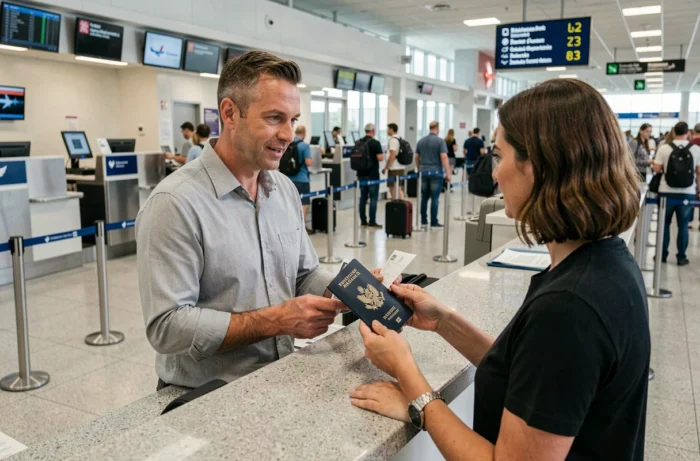
The trend observed among several airlines is moving in the same direction: automated modification windows are tightening. Correcting passport data via the “Manage My Booking” section is generally accessible in the first hours following the purchase, then gradually closes.
Qantas, for example, limits online modification to about 24 hours after the transaction. Beyond that, the passenger must contact customer support. The absolute limit is practically the start of online check-in, which occurs according to the airlines between 48 hours and a few days before departure.
Aeroflot follows a similar pattern: correcting passport data via the online account is available within 24 hours of purchase, after which a visit to an agent becomes necessary. This tightening of deadlines pushes travelers to act quickly, or risk having to manage the modification by phone or in-person, with sometimes long wait times.
What This Means for a Booking Made Several Months in Advance
A ticket purchased in January for a flight in July allows ample time to renew a passport. The automatic modification window will have long since closed. Direct contact with customer service then remains the only option.
Some airlines charge fees for this manual intervention, while others do not. Feedback from the field varies on this point: the absence of fees often depends on the airline’s commercial policy and the reason given (standard renewal, loss, theft of the document).
Changing Your Passport Number: Direct Airline or Online Agency
The process differs depending on the ticket purchase channel. For a ticket purchased directly on the airline’s website, the modification is done through the personal space or customer service of that airline. The requested documents generally include:
- The booking number (PNR or booking reference)
- A digital copy or the complete information of the new passport (number, date of issue, expiration date)
- If applicable, proof of name change if marital status has changed
For a ticket purchased through an online travel agency (OTA), the situation becomes more complicated. The agency holds the reservation and serves as a mandatory intermediary. Some OTAs provide a passport data modification form in their interface, while others require a phone call. The processing time varies from a few hours to several business days.

Booking with an Expiring Passport: Anticipating the Change
Booking a flight with a passport known to be renewed before departure is a common practice. It does not pose a problem in itself, as long as the data is updated before check-in. The passenger’s identity (name, first name, date of birth) must remain consistent between the old and new documents.
The real risk is not so much the inability to change the number but the forgetfulness to do so. A passport with a number that does not match the one recorded in the system can cause a blockage at the time of online check-in, or even at the boarding counter.
Error in Entering the Passport Number During Booking
This scenario is distinct from renewal but generates the same difficulties. A simple typing error during ticket purchase can be enough to create a discrepancy between the recorded data and the document presented at the airport.
Correcting a typing error follows the same process as updating after renewal: online space (if time allows), then customer service. Several airlines process this correction free of charge when reported quickly. However, beyond a certain timeframe, some apply modification fees similar to those for a name change.
The points to check before confirming any booking are as follows:
- The passport number exactly matches the physical document
- The passport’s expiration date exceeds the validity duration required by the destination country (often six months after the return date)
- The spelling of the first and last name is strictly identical to that on the passport, with no added or omitted accents
Most airlines do not require the passport number to be final at the time of booking. What matters is the consistency at the time of boarding. Updating remains possible as long as check-in is not closed, but the process to achieve this varies enough from one airline to another to justify acting early.